Published and tested 22 November 2026.
Which code change produces this result?
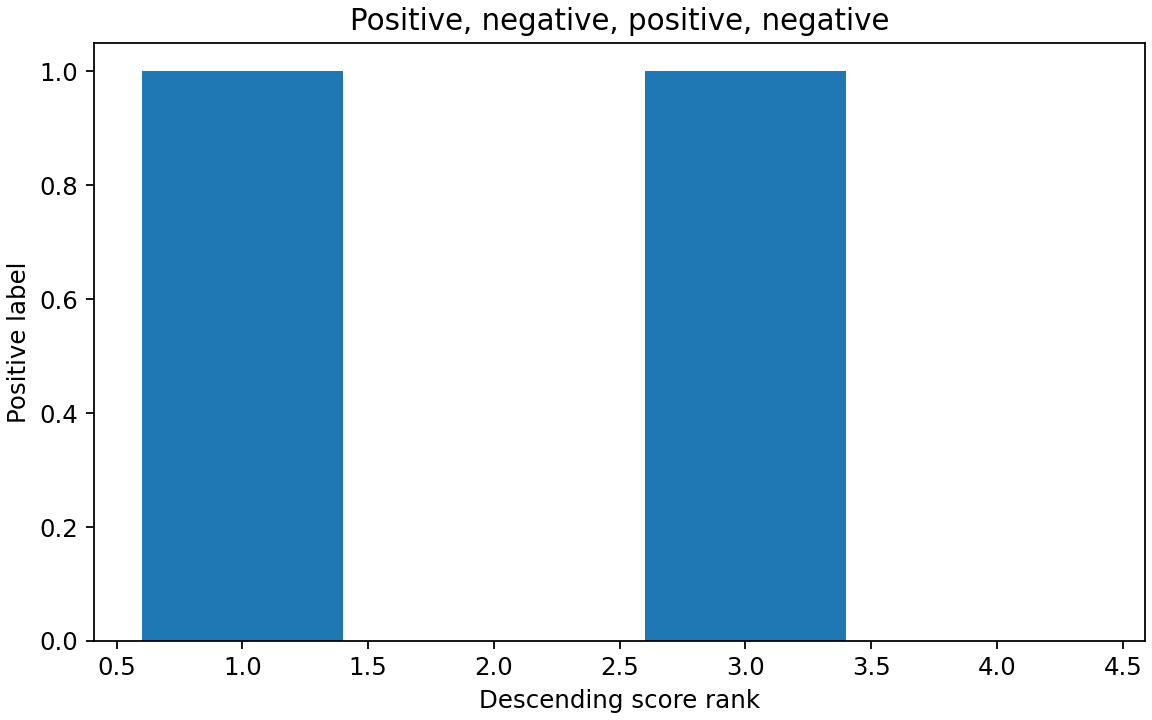
I start with the 4 rows in data.csv. The columns are class, score.
This article uses simulated example data.
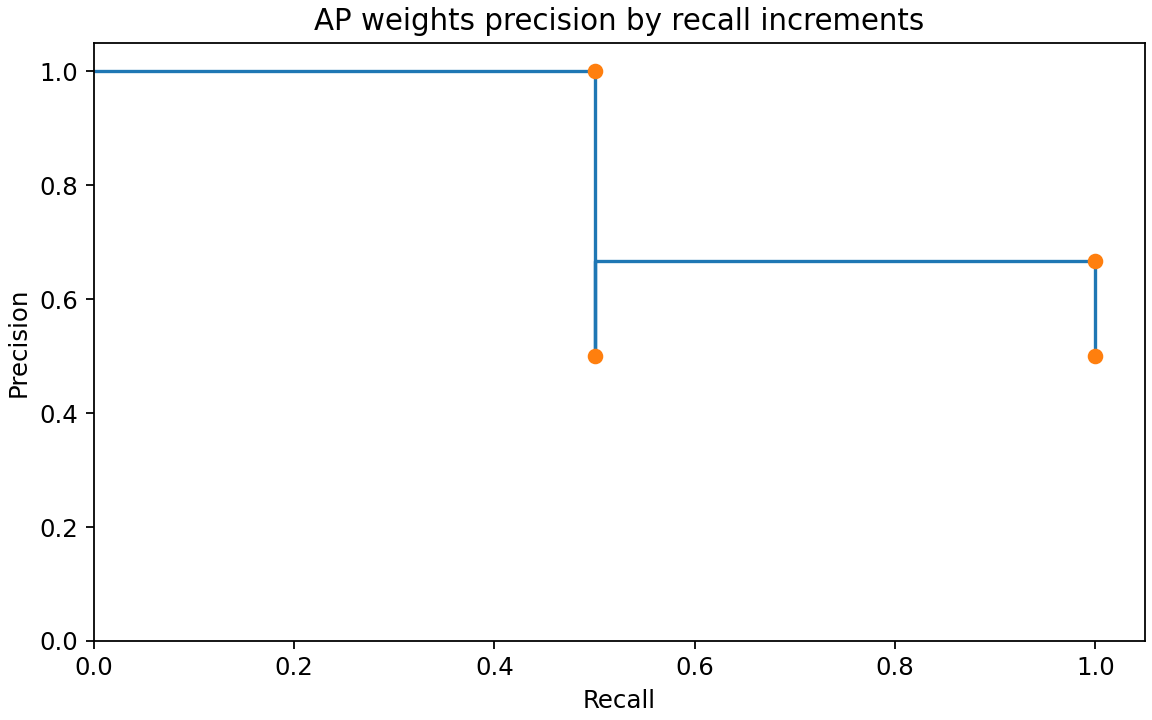
What changes in the actual output?
The value I check is step average precision. In the script, ap gives 0.833333333.
| class | score |
|---|---|
| 0 | 0.15 |
| 1 | 0.85 |
| 0 | 0.65 |
| 1 | 0.35 |
The table shows all input rows. (4)
What should I check before using this setting?
Linear trapezoidal interpolation gives a different quantity; ranking metrics also depend on prevalence and tie handling.
How can I reproduce the figures?
Run python example.py in a writable folder. Tested with Python 3.12.4, Matplotlib 3.8.4 and NumPy 1.26.4. The script writes data.csv, before.png, after.png and after.pdf beside itself.
These are the code, data and result files used in this article. Choose a file below to run the example or compare your results.
- example.pyComplete example code to run on your computer.
- data.csvThe input data used in the example; open it as a table.
- before.pngThe figure before the change, for comparison.
- after.pngThe figure after applying the settings in this article.
- after.pdfThe result in PDF format, for viewing and page layout.
- Usage license · LICENSE.txtTerms for reusing the code, data and figures, with source and font notices.
File verification
- hashes.jsonChecksums for checking whether the downloaded files are complete.
Complete Python code
# Original Bopbun example code and synthetic input: CC0-1.0.
# Python 3.12.4, NumPy 1.26.4, Matplotlib 3.8.4. See LICENSE.txt for font rights.
from pathlib import Path
import csv,json,math,itertools
import numpy as np
import matplotlib
matplotlib.use('Agg')
import matplotlib.pyplot as plt
from matplotlib import colors,patches
OUT=Path(__file__).resolve().parent
plt.rcdefaults()
plt.rcParams.update({'font.family':'DejaVu Sans','font.size':11,'figure.dpi':120,'savefig.dpi':160,'pdf.fonttype':42})
def pair():
    f0,a0=plt.subplots(figsize=(7.2,4.5),layout='constrained')
    f1,a1=plt.subplots(figsize=(7.2,4.5),layout='constrained')
    return f0,a0,f1,a1
def data_file(names,rows):
    with (OUT/'data.csv').open('w',newline='',encoding='utf-8') as f:
        w=csv.writer(f);w.writerow(names);w.writerows(rows)
before,a0,after,ax=pair()
y=np.array([0,1,0,1]);score=np.array([.15,.85,.65,.35]);data_file(['class','score'],zip(y,score));order=np.argsort(-score,kind='stable');yy=y[order];a0.bar(np.arange(1,5),yy);a0.set(xlabel='Descending score rank',ylabel='Positive label',title='Positive, negative, positive, negative')
tp=np.cumsum(yy);precision=tp/np.arange(1,5);recall=tp/y.sum();ap=np.sum(np.diff(np.r_[0,recall])*precision);ax.step(np.r_[0,recall],np.r_[1,precision],where='pre');ax.plot(recall,precision,'o');ax.set(xlim=(0,1.05),ylim=(0,1.05),xlabel='Recall',ylabel='Precision',title='AP weights precision by recall increments');metric=ap

before.savefig(OUT/'before.png')
after.savefig(OUT/'after.png')
after.savefig(OUT/'after.pdf',metadata={'CreationDate':None,'ModDate':None})
after.canvas.draw()
print(json.dumps({'metric':float(metric),'axes':len(after.axes),'inputRows':sum(1 for _ in (OUT/'data.csv').open())-1}))
plt.close('all')
Which sources and licenses apply?
Original code and data: CC0-1.0. Figures use DejaVu Sans; its font license remains separate. Install Matplotlib and NumPy locally to run the code.